Outcomes
Here’s what to do:
1. Watch the video
2. Read the text
3. Select ‘Mark Complete’
Creating Outcomes Manually
Creating Outcomes from An Australian Curriculum Subject
If you selected an Australian curriculum subject when setting up your course, you’ll see that all the related outcomes have been pre-populated using the default grading scheme selected for this course.
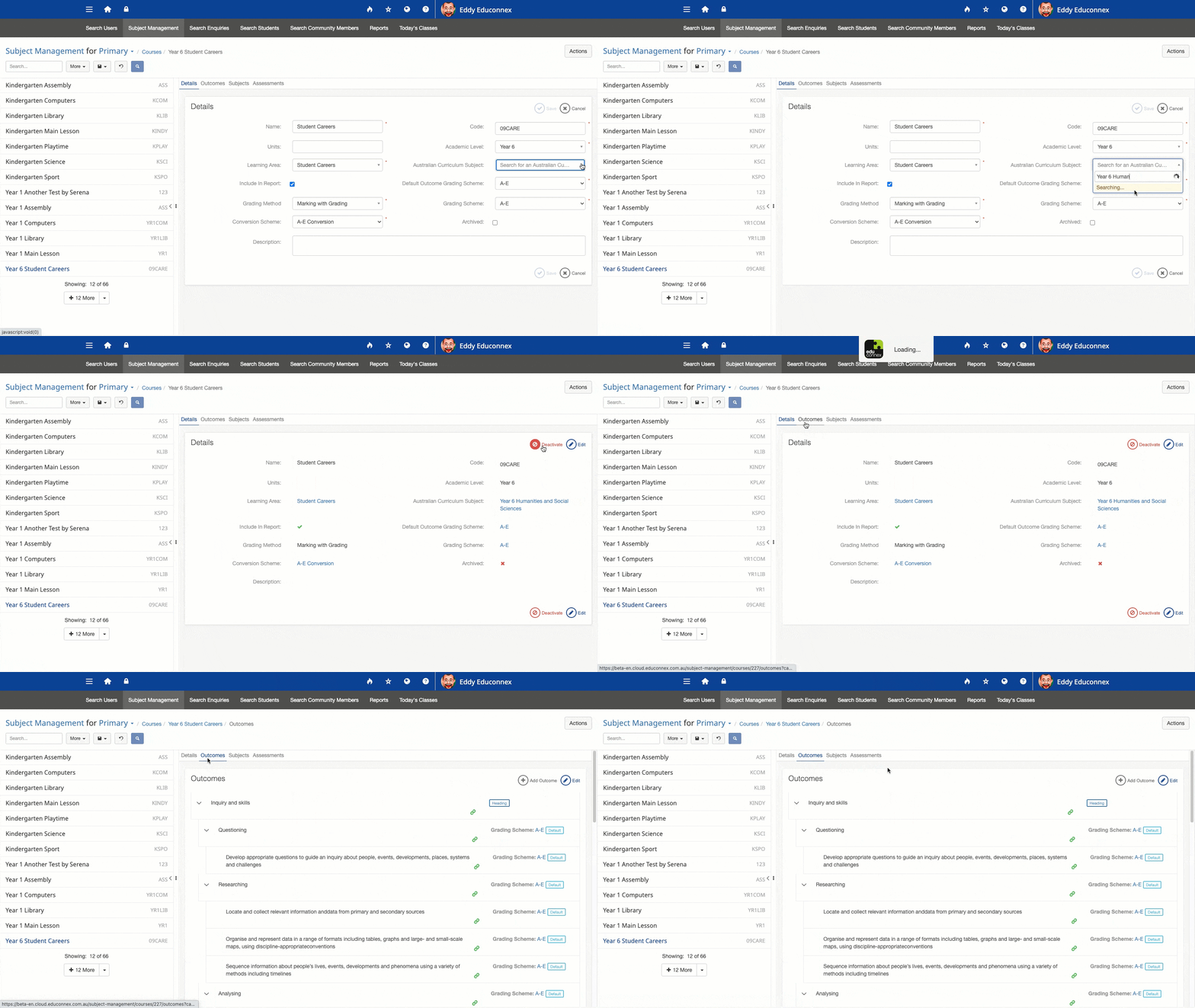
You can edit these pre-populated outcomes as necessary.
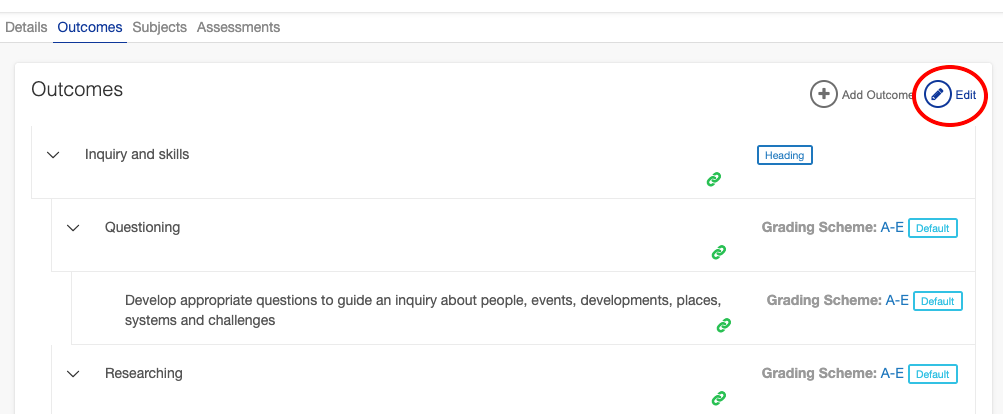
To edit a pre-populated outcome:
- Click edit at the top of the screen.
- Make the required changes to the wording or grading scheme.
- Click Save.
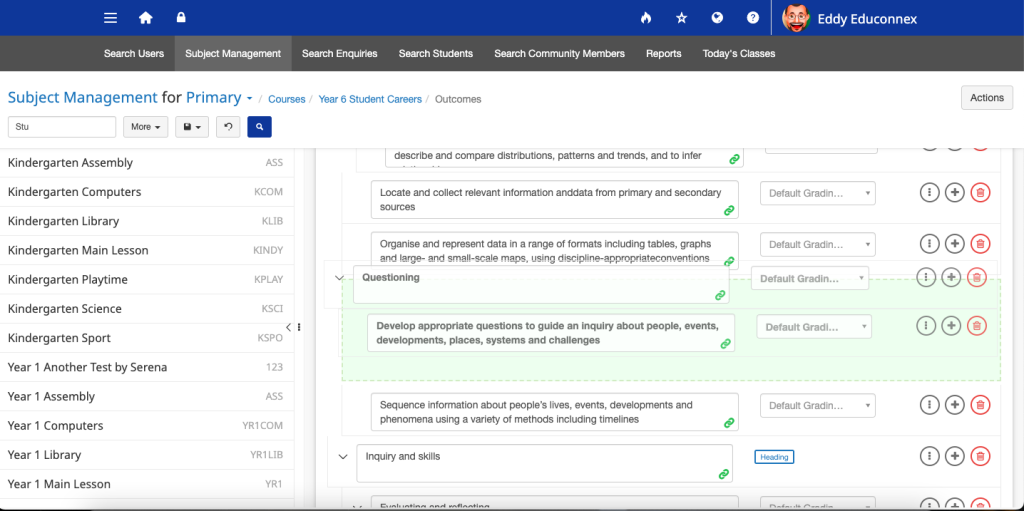
It’s also possible to reorganise the outcomes by changing the order, the indent or moving them between headings.
To reorganise pre-populated outcomes
- Click ‘Edit’ at the top of the screen
- Click and drag in a blank part of the row to the relevant section. The highlight will show you their new location.
- Click ‘Save’.
You can check and change the linked Australian Curriculum Section at any time, by clicking on the green link icon.
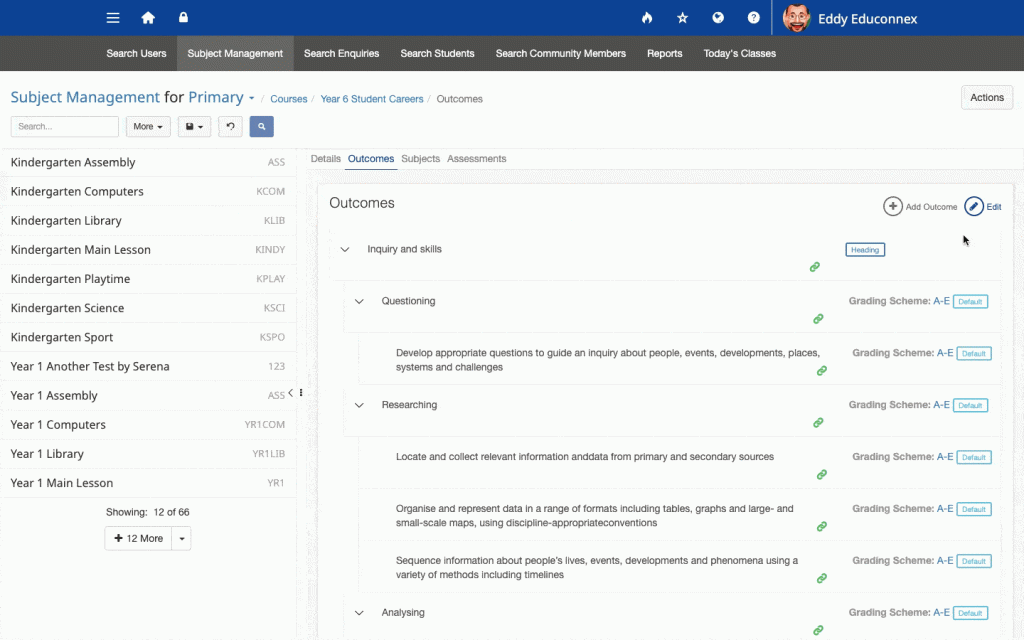
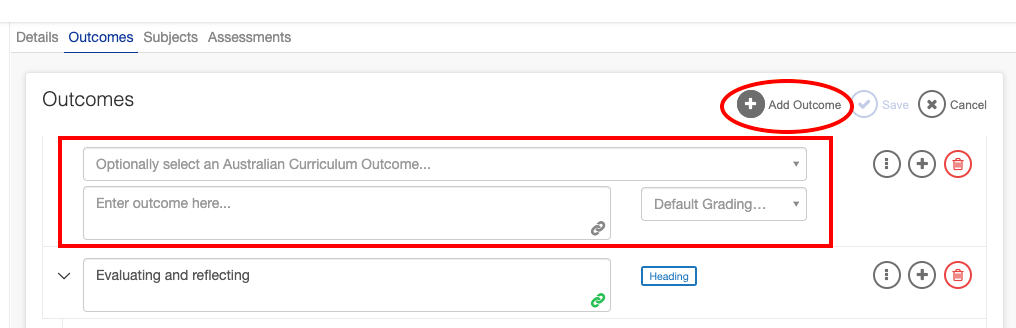
You can also add extra outcomes by clicking Add Outcome at the top of the screen. You have the choice of selecting an Australian Curriculum Outcome in the top field or entering your own text in the bottom field.
 …For detailed instructions on creating and organising outcomes, refer to the video in the section above.