Classes
Here’s what to do:
1. Watch the video
2. Read the text
3. Select ‘Mark Complete’
Creating A New Class
After creating a subject, the Classes tab will appear next to the Outcomes tab. Click on Classes to create a new class or add an existing one.
Updating Student’s Class Details from Their Profile
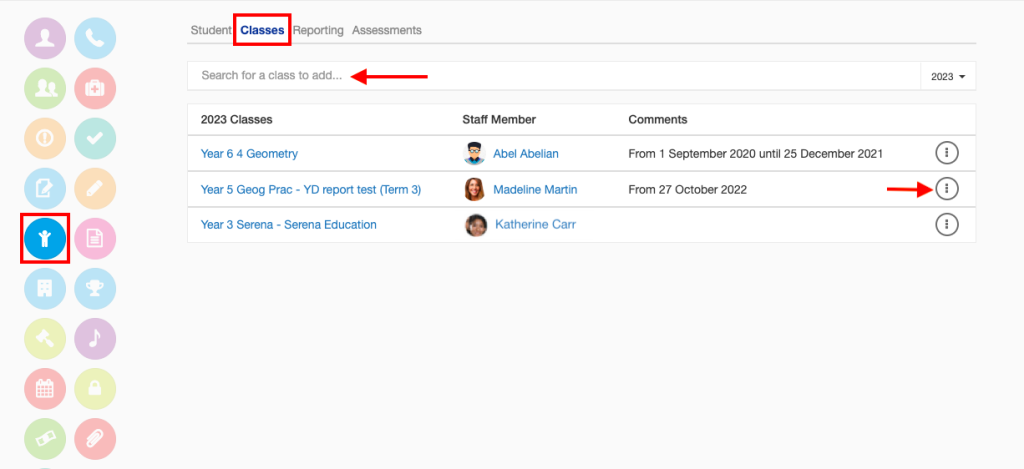
A student’s class details can also be updated by directly navigating to the Student Details area of their profile and selecting Classes in the top tab. You can search for a class using the search bar, or use the same buttons as seen in the video to make changes to a student’s class details here.