Creating a Form
Here’s what to do:
1. Read the text
2. Select ‘Mark Complete’
There are three different ways to create a form, depending on your needs:
- Create a new form from scratch
- Copy an existing form
- Use a template
Creating a New Form
Using the Actions button within Forms, click Create New Form.

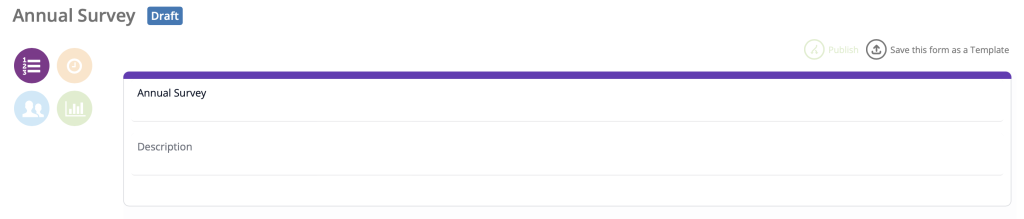
Enter a title for the form and click Save, which will bring you to the form’s content page.
Copying from an Existing Form
Locate the form that you would like to copy, click the Actions button for that form and then click Copy Form.
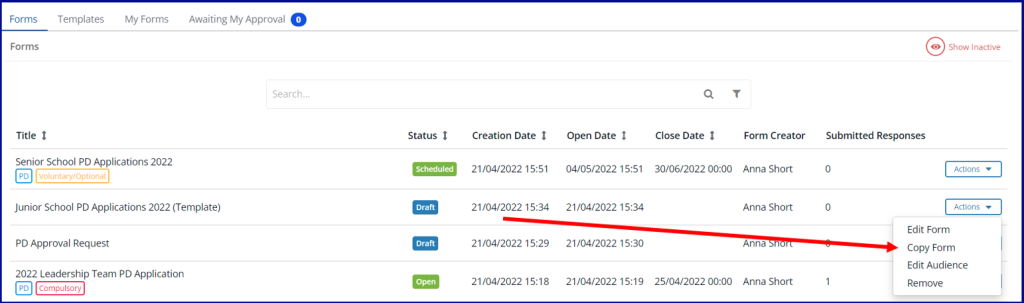
Enter the form title, you will see a confirmation that your form has been copied. Click on Actions, of the copied form, then Edit Form to edit the content.
Using a Template
Within the templates tab, find the template that you’d like to use, click Actions then Generate Form.
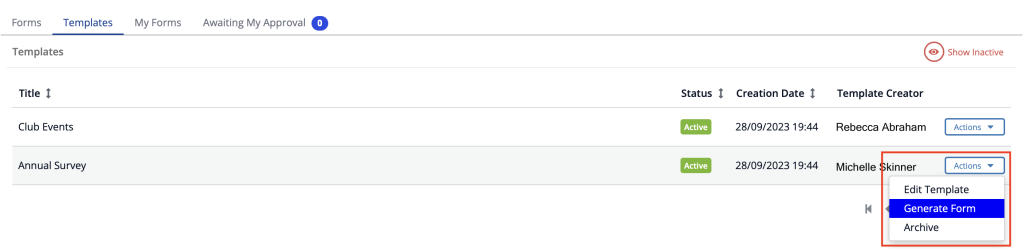
Enter the form title and click save, you will then receive a confirmation that your new form has been created. Click on Actions, then Edit Form to update the form.