Roles within Forms
Here’s what to do:
1. Read the text
2. Select ‘Mark Complete’
Available Roles in Forms
There are five different roles available to users of the Forms module:
| Role | Description |
| Forms Administrator | Access to all areas of Forms. |
| Form Creator | Create and manage forms. |
| Form Approver | The Form Creator can give authority to these users to approve, decline or reassign form responses. |
| Audience Member | These community members can respond to a form. |
| Audience Member Proxy | These community members can respond to a form on behalf of a student for whom they are a parent or carer. |
Assigning Roles
To be able to use Forms, a Community Member must be set up as a user with a login to Educonnex. Forms user roles are managed within the Forms module, not within the main Educonnex Roles.
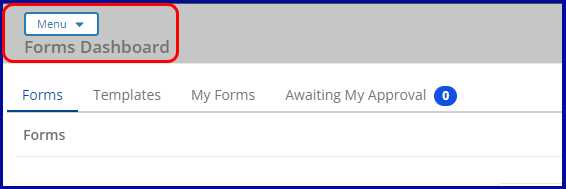
To assign roles, navigate to Menu > Administration > Forms, to arrive on the Forms Dashboard.
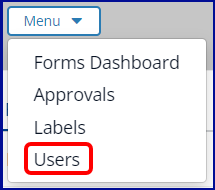
Select Menu > Users
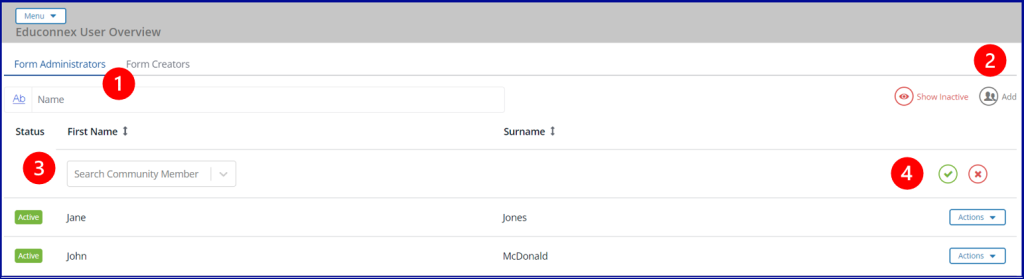
- Select the Role you wish to assign to the user from the either the Form Administrators or Forms Creators tabs.
- Select the Add icon to add users in bulk; or
- Use the Search Community Member box to locate an individual and click the Save icon (4)